While we primarily targeted Hibiscus Project Management at freelance writers and content creators, we have also experimented with using it for managing other types of projects. In fact, we use Hibiscus to manage the development of the Hibiscus software!
Non-Engineering Tasks
Running a software company involves a great number of tasks that are not related to software development itself, such as marketing, sales, finance, and general planning. Hibiscus Technology Group is pretty small — there are just three of us right now — and we need to keep track of what we are doing.
We create a lot of content: YouTube videos, website copy, blog posts, social media posts, etc. All of these go through the standard asset lifecycle that Hibiscus is meant to track. This means that Hibiscus is the perfect tool to use for the business development part of running Hibiscus.
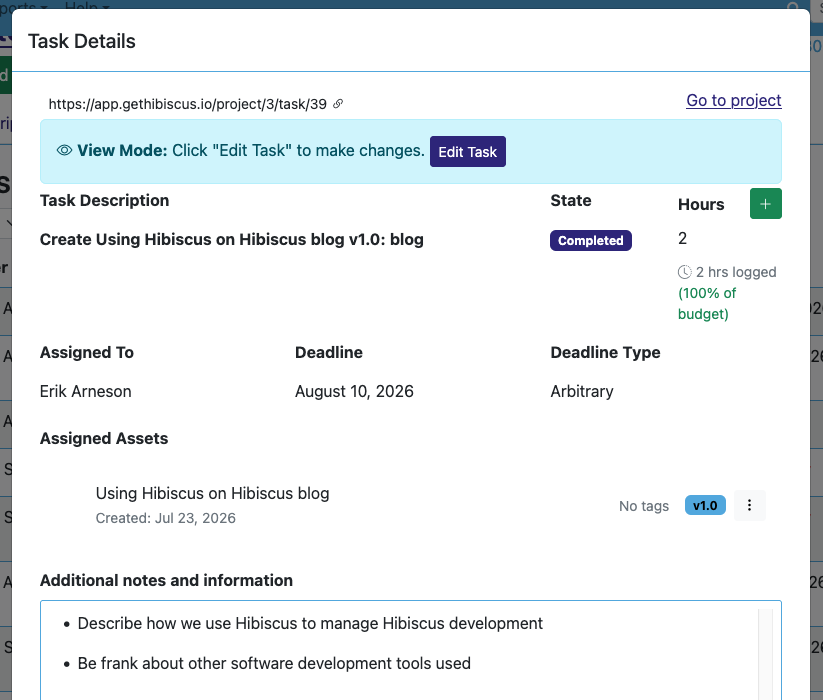
Here is the task in Hibiscus for the creation of this very blog post.
The Create-Review-Submit Workflow
Here's how it works: one of us comes up with a blog post idea. Sometimes this leads to a discussion where we decide who would be best to write it, but that idea leads to using the Task Wizard to assign a "Create" task. For this blog post, I created a task for myself, titled "Create Using Hibiscus on Hibiscus blog v1.0."
Once I have finished writing this blog, I will mark that task complete and create a new task titled "Review Using Hibiscus on Hibiscus blog v1.0." I will probably assign that task to Karl. If Karl has suggestions and needs to send it back to me for a rewrite, he will finish his review task and assign a new task to me, this one will be called "Create Using Hibiscus on Hibiscus blog v1.1." Note the changing version number! That helps us know where we are in the production cycle.
We will go back and forth with "Create" and "Review" tasks until both of us are satisfied with the blog post. My hope is that we won't have to go past v1.1. Once we are satisfied, one of us will create and assign a "Submit" task, signalling that this particular blog post is finished and ready to post.
Submit Without a Client
These blog posts are not delivered to an external client. Instead, we use the "Submit" stage of the "Create/Review/Submit" cycle as a task for posting the final content to its public location, such as this website or our YouTube channel. It turns out that this works quite well, we have been using Hibiscus this way for several years.
This might lead to a task for this blog post titled "Submit Using Hibiscus on Hibiscus blog v1.2," which contains instructions like "Post to the website" or "Post to LinkedIn." This allows us to use the Hibiscus asset tracking features internally, while keeping track of where we are with marketing development and content reviews.
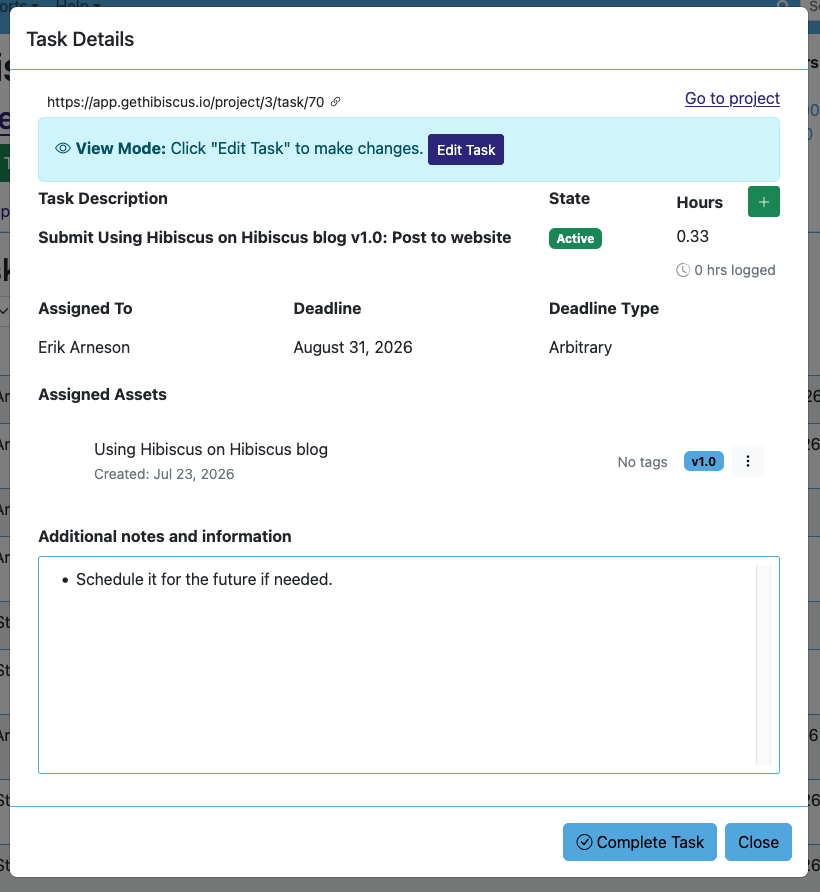
Here is the “Submit” task for this blog post that I am working on right now.
One nice benefit to using Hibiscus in this way is that it allows us to bend the asset lifecycle features of Hibiscus in ways that serve a use case outside of freelance asset development.
Additional Task Types
We also use Hibiscus for any number of non-asset tasks. These types of tasks make use of the "Project Management" and "Other" task types. They do not move along assets or pieces of content, but they are essential to our company's survival.
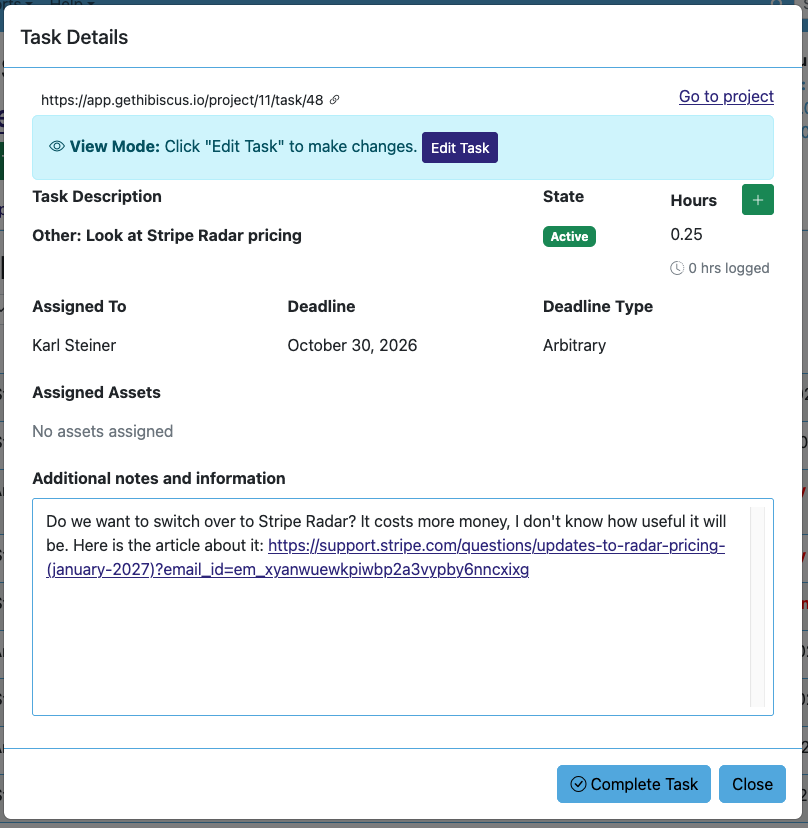
This task includes an important question that does not move along any assets, so it is an “Other” type.
An "Other" task can be a placeholder for research we need to do or various non-essential tasks we just don't want to forget. For example, we might have a task like "Other: Research pricing for LinkedIn ads" or "Other: Remember to check RDS upgrades."
Meanwhile, "Project Management" tasks also play an important role in running Hibiscus. These are almost always business development tasks that are necessary for things to move forward, such as "Project Management: Set up online banking" or "Project Management: Update website billing." If a PM task is not completed, some part of Hibiscus will grind to a halt and we will all suffer.
Since these tasks are all internal and are not billed, we have not found much use for "Meeting" task types. However, one of the nice things about the Hibiscus system is that it can be used in many different ways. It could be that you won't need "Meeting" tasks, either. Or maybe you won't need "Other" tasks! The way you use Hibiscus is ultimately up to you.
Outside Hibiscus
Hibiscus was never designed to help develop software, so we do not try to use it for tracking bugs and code changes. For that, we are currently using Jira and Bitbucket. We think it is important to use the right tool for the job.
Jira is overkill for our tiny team, and we are struggling to use it effectively. Jira is built primarily for large software development teams, and it is very easy for new bug reports or feature requests to get lost in the Jira quagmire. Jira provides too many features for us to use, and it ends up creating a crowded, confusing user experience that sometimes lets bug reports fall through the cracks.
We have used Bitbucket for tracking code changes to Hibiscus since we first started working on it in 2018. Originally, Bitbucket had a very easy bug tracking system attached to it. Now, Atlassian (who own both Jira and Bitbucket) are forcing everybody to abandon the simple bug tracker and move to Jira. It would be nice to have an easier bug tracking system, and this means we will probably end up moving to GitHub in the future.
Earlier, I mentioned that we don't use the "Meeting" tasks in Hibiscus for our internal meetings. Instead, we simply use Google Calendar to schedule meetings with each other. It is a powerful tool that already does what we need—we are not interested in reinventing the wheel!
Flexibility of Hibiscus
I don't think I would say that using Hibiscus to help develop and run Hibiscus Technology Group proves that our asset development lifecycle actually works for all freelancers. But I would say that it proves that the Hibiscus asset tracking system can be used for more than just freelance creative businesses.
As time goes on, we all hope to find new and innovative ways to apply the Hibiscus methodology to other small business types. We want to help all small business owners stay nimble and keep track of their processes, and Hibiscus is how we will do it.